
One prompt. Two endings.
crypt-o-panic puts a second passphrase on the boot prompt of a fully encrypted Linux machine. The first one unlocks the disk. The second one erases the keyslots, plays an animation, says goodbye and powers the machine off.
One prompt, no extra menu, no “are you sure”. Nobody watching can tell which passphrase you are typing.
The passphrase you are forced to give away
No way to refuse
Full-disk encryption protects a powered-off machine, not a person under pressure. A panic passphrase removes the decision: you can hand it over, and the disk still ends up useless. The plausible passphrase is the one that costs nothing to reveal.
No hash to crack
The panic passphrase is not stored as a digest. It is the passphrase of a small
LUKS2 canary container inside the initramfs, checked with
cryptsetup --test-passphrase, so it costs full Argon2id work to guess
- and the same work to mount, which is what keeps the check honest.
Wrong guess, normal boot
A broken canary, a missing cryptsetup or any error in the check means
the system boots as usual. Detection fails open; only a confirmed match is
destructive.
That asymmetry is the point: a duress tool that misfires is worse than no duress tool.
It only touches the keys
Keyslots and LUKS2 metadata are overwritten, not the whole disk. Without the keys
the ciphertext is noise, and rewriting hundreds of gigabytes would be slow and
pointless on an SSD. Nothing outside targets is ever opened, so a
second disk with a backup of your data survives.
A keyscript in the initramfs
crypt-o-panic is not a patched cryptroot.
It is a keyscript: crypttab names it, Debian's initramfs script runs
it and pipes its standard output into cryptsetup luksOpen. Whatever
the program prints is the key.
That gives exactly one prompt, owned by us, and it means the passphrase never passes through a config file or a log. Because the whole conversation lives in one program, it can also ask a second question in the same call - which is how two-stage mode keeps the failed-attempt counter at zero.
Nothing is patched and no daemon is added: an initramfs hook copies the binary
and its configuration into the image, and crypttab points at it.
Remove the keyscript line and the system boots exactly as it did before.
# /etc/crypttab
vda5_crypt UUID=24378eea-… none luks,keyscript=/usr/bin/crypt-o-panic
What happens at the prompt
| You type | Result |
|---|---|
| the disk passphrase | printed to stdout, disk unlocks |
| the panic passphrase | keyslots erased, animation, poweroff |
| anything else | passed on, so the normal “try again” appears |
The destroyer ignores SIGINT, SIGTERM, SIGHUP and SIGTSTP, and the machine is
powered off even if the wipe reported an error. A device that does not start with
the LUKS magic is refused instead of being written to, so pointing
targets at the wrong disk cannot shred an unrelated filesystem.
Careless hands, covered
Single
One wrong-but-special passphrase and it is over. Fast, and closest to “type it and mean it”.
Setup asks for it twice, refuses an empty one and will not touch
crypttab until the initramfs verifiably contains it, so a slip
during arming cannot leave you with a half-configured prompt.
Two-stage
The first passphrase only opens the panic mode and prints a prompt that is indistinguishable from a retry after a typo. The second one destroys. Both steps live in one keyscript call, so the counter of failed attempts never moves, and anyone watching sees a single wrong password and a second attempt.
# two-stage, as it looks on the console
Please unlock disk vda5_crypt: <arm passphrase>
Are you in panic? Your password is incorrect. Try again: <panic passphrase>

crypt-o-panic: erasing /dev/vda5 header (luks2, 16760832 bytes)
crypt-o-panic: 1/1 target(s) erased
The panic passphrase also works straight away, without the arm step. Setup asks the arm passphrase first and the destroying one last, the same order you will type at boot.
A data file, not code
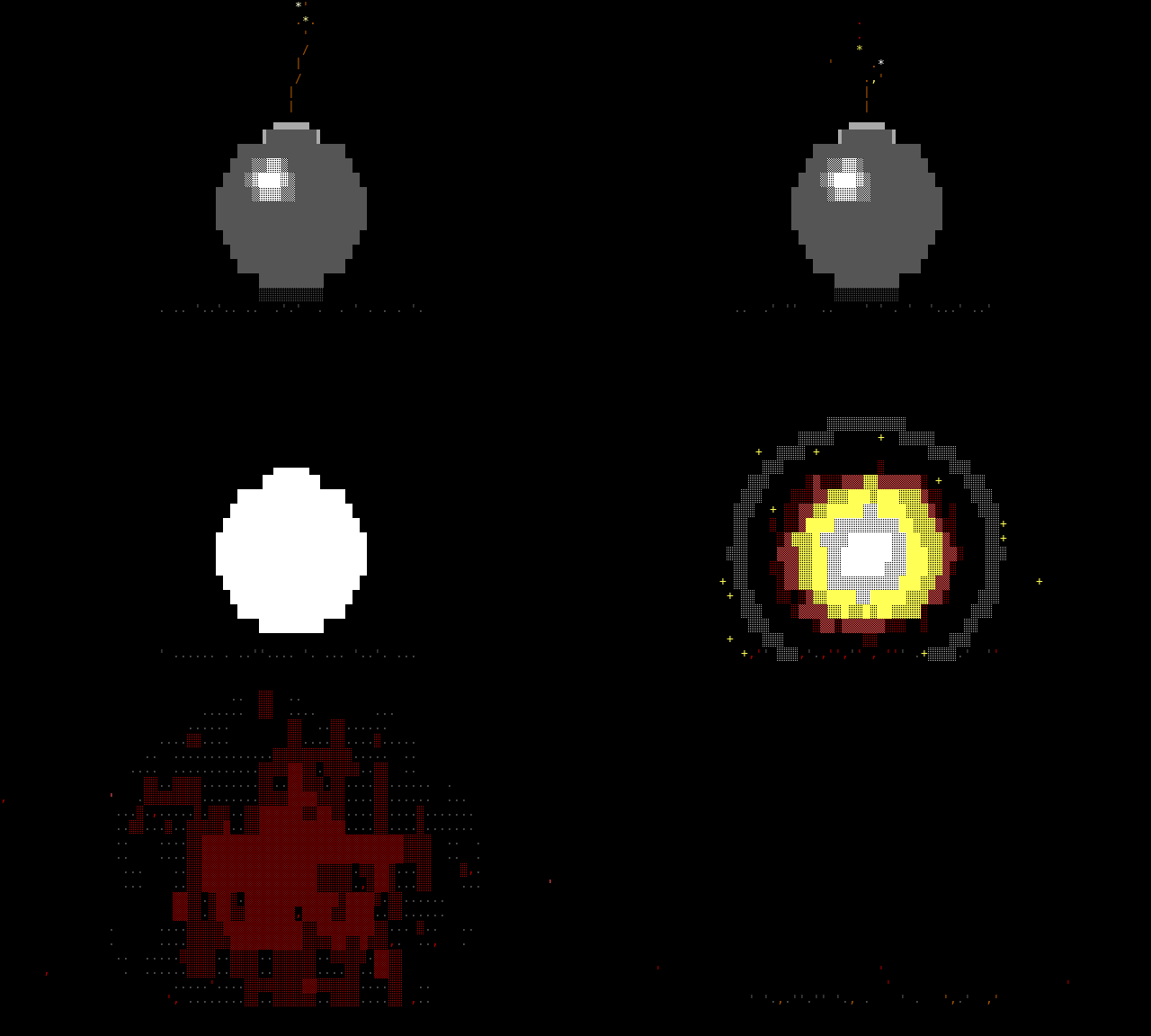
Frames live in /etc/crypt-o-panic/animation.txt, separated by
---8<---. Artwork is drawn for an 80x25 text screen - 640x480 with
the usual console font - and centred both ways, so it looks the same on every
machine. The farewell message gets its own centred screen.
There is no drawing code to fight: the frames are text, so a new animation is
a new file and crypt-o-panic-setup --animation FILE. Only the frame
delay is timed, and it applies to whatever you wrote.
ANIMATION_SCALE=fit enlarges it on bigger consoles,
raw turns off even the centring, and a missing file is not an error:
the sequence simply skips to the goodbye.
What it destroys, and what it cannot
| Target | Effect |
|---|---|
| LUKS2 keyslots + metadata | overwritten with random data |
Devices not in targets | never touched |
| Anything without the LUKS magic | refused, with a message |
| Header backups elsewhere | restores the volume |
| Data area | left as ciphertext |
| SSD wear levelling | can keep old blocks alive |
| RAM at poweroff | cold-boot is still a risk |
Honest limits
/boot is normally unencrypted and unmeasured, so somebody with
physical access can replace the initramfs and capture the passphrase or disable
the check. Closing that needs a Unified Kernel Image, Secure Boot and a
TPM-sealed key.
The wipe itself is bounded by the header, not by the disk: a few megabytes of random data, written in one pass and verified by the absence of the LUKS magic. It finishes in well under a second, which is short enough that nobody gets a chance to pull the power in the middle of it.
And this is destructive software. A typo at the boot prompt is indistinguishable from intent - test it on a disposable image, never on the machine you care about.
Three steps on an existing install
- Install the package (or
make buildandsudo install/install.shfrom the sources). - Run crypt-o-panic-setup and choose the passphrases.
- Reboot and try both of them before you trust it.
Upgrading the package leaves your configuration alone; after a version bump,
crypt-o-panic-setup --reuse refreshes the files inside the initramfs
without asking for the passphrases again. Nothing is armed until that initramfs
has been rebuilt and verified, so a failed update-initramfs leaves
the machine bootable.
make deb
sudo apt install ./dist/crypt-o-panic_0.1.0_amd64.deb
sudo crypt-o-panic-setup --mode two-stage
sudo crypt-o-panic-setup --verify
reboot
What you need
- Debian 13 or anything with
initramfs-toolsandcryptsetup. - A LUKS2 root with an unencrypted
/bootand a passphrase keyslot. - Nothing else: no daemon, no service, no background process,
no extra dependency inside the initramfs beyond
cryptsetup.
Setup backs up /etc/crypttab, adds the keyscript, rebuilds the
initramfs, verifies that the files really ended up inside it and puts the
crypttab back if anything fails. --uninstall (or removing the
package) reverses all of it.
A second, unencrypted disk is the usual place for a LUKS header backup. Keep one
only if you accept that it undoes the destruction - this tool removes a key, not
a copy of the key. A missing cryptsetup is reported by the hook,
never fatal: the prompt stays stock.
One file, a dozen keys
| Key | Default | Meaning |
|---|---|---|
MODE | single | single or two-stage |
CANARY | canary.img | container whose passphrase is the panic passphrase |
CANARY_ARM | - | container with the stage-one passphrase |
TARGETS | targets | allowlist of devices to destroy |
PROMPT | Please unlock disk %s: | ordinary prompt |
ARM_PROMPT | Are you in panic? … Try again: | message between the stages |
FAREWELL | Oops! … | text after the animation |
ANIMATION | 1 | 0 disables it |
ANIMATION_FILE | animation.txt | frames to play, anywhere readable |
ANIMATION_SCALE | 1 | 1, fit, raw or 2-8 |
HOLD_SECONDS | 10 | pause before poweroff |
ASKPASS | auto | let plymouth ask, or force the console |
Everything is arming-time configuration; the file is copied into the initramfs, so
crypt-o-panic-setup rebuilds it for you. Re-running setup never overwrites
what you edited.
“Crypt? Oh, no. Panic.”
Say it out loud and it turns into a tiny dialogue: crypt… oh… panic. The wordmark draws that moment — the orange “o” sits between crypt and panic as a padlock with an explosion inside it, which is the whole program in one glyph.
The hyphens are load-bearing. They hold the three syllables apart, and they survive into everything: the binary, the setup tool, the configuration directory, the man pages. Nothing here gets glued together — least of all the passphrase.